

Transitioning to a new device can often feel daunting, especially when faced with the task of migrating cherished memories and crucial information. Move to iOS elegantly solves this challenge, serving as the official pathway provided by Apple to effortlessly transfer your essential data. This application streamlines the move to a new iPhone or iPad, ensuring your contacts, message history, photos, videos, and mail accounts are securely moved without the need for complex manual copying or third-party tools.
Seamless Data Migration
This powerful tool simplifies what could otherwise be a tedious process. Instead of individually backing up and restoring various data types, the app creates a direct, secure connection between devices. It eliminates the need for cloud services or physical cables for many common data categories, making the switch remarkably smooth and efficient. The entire process is designed to be intuitive, guiding users through each step.
Effortless Setup Process
The transfer experience is deeply integrated into the initial setup of your new Apple device. As you power on your new iPhone or iPad for the first time, an option appears to migrate data. This ensures that your personal information is moved into place before you even begin to customize settings or download new applications, preparing your device for immediate use with all your familiar content.
Comprehensive Content Transfer
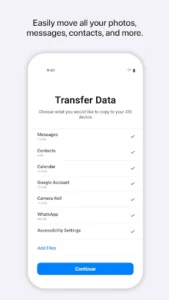
The platform is engineered to move a wide array of personal data, covering most of what an individual would want on their new device. This includes not just contacts and message history, but also your camera roll photos and videos, web bookmarks, mail accounts, and calendars. Even some free apps that are available on both platforms will be suggested for download from the App Store after the transfer.
Secure and Private Transfer
Security and privacy are paramount throughout the entire process. The transfer occurs over a private, direct Wi-Fi connection established between the two devices, ensuring that your sensitive data does not pass through external servers or the internet. This direct peer-to-peer connection safeguards your personal information, providing peace of mind as your digital life transitions to its new home.
Ready for Immediate Use
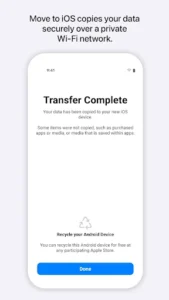
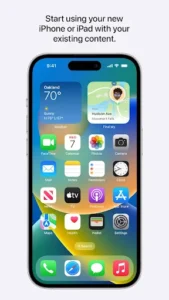
Once the transfer is complete, your new iPhone or iPad is populated with your most important data, ready for you to pick up exactly where you left off. There’s no further syncing or manual configuration required for the transferred items. This immediate readiness allows you to dive straight into exploring your new device, making the entire switch from your previous operating system a truly hassle-free experience.













Write a review